

An SEO issue log is a structured record of diagnosed SEO problems, the evidence behind them, who owns the next action, and whether the fix has been verified. It gives teams a shared operational view of issues that might otherwise remain scattered across crawl exports, Search Console notes, audit documents, and development tickets.
- An SEO issue log should track confirmed or well-supported problems, not every warning produced by an audit tool.
- Useful fields include the affected scope, source of evidence, issue category, priority rationale, owner, status, acceptance criteria, and verification result.
- Priority scores can make decisions more consistent, but they are internal planning aids rather than objective measures of SEO value.
- An issue should not be closed simply because a change was deployed. The team should confirm that the intended technical or editorial condition is now in place.
- Verification method and timing depend on the issue. Crawl checks can often be repeated quickly, while indexing and Core Web Vitals evidence may require more time.

What Is an SEO Issue Log and Why You Need One
An SEO issue log is a structured tracker used to record problems that have been identified through audits, crawling, Search Console data, manual review, or another reliable diagnostic source. Its purpose is not to create a longer list of SEO warnings. It is to preserve enough context for a team to understand what is wrong, where it occurs, why it matters, who owns the next step, and how the team will know whether the problem has been fixed.
This makes the issue log narrower than a general SEO backlog. A backlog may contain content opportunities, experiments, feature requests, and planned improvements as well as problems. An issue log is specifically concerned with diagnosed issues. It is also different from a change log, which records what was actually changed after implementation. Keeping those roles separate prevents one spreadsheet from becoming an unstructured mixture of findings, ideas, tasks, and release notes.
A useful issue log also separates symptoms from root causes. Twenty URLs with duplicate title tags may be twenty separate editorial errors, or they may all inherit the same faulty template logic. Logging the template-level cause once, with the affected URL set attached as evidence, gives the team a more accurate view of scope and avoids creating unnecessary duplicate tickets.
Many teams run a thorough technical and on-page SEO audit but then struggle to manage what happens after the findings are delivered. The issue log fills that operational gap. It turns a diagnosis into a traceable sequence of ownership, implementation, and verification without implying that every logged fix will automatically improve rankings or traffic.
Core Fields Every SEO Issue Log Should Include
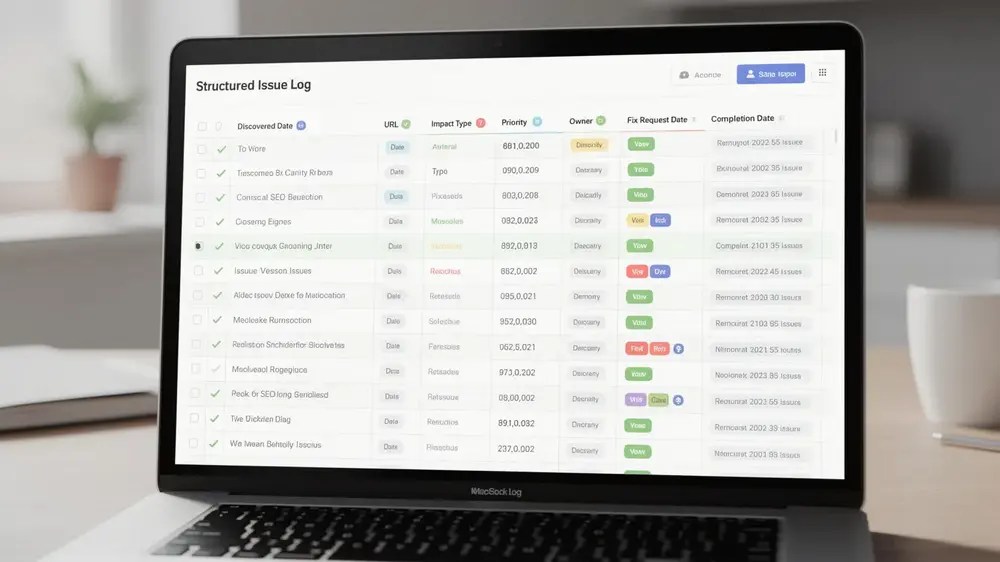
There is no single mandatory template for an SEO issue log, but the fields should be detailed enough that another team member can understand the issue without repeating the original investigation. For many teams, the following fields provide a practical starting point:
- Issue ID: a stable reference that can be used across SEO, content, product, and development conversations.
- Discovered date and source: when the issue was found and whether the evidence came from a crawl, Search Console, manual review, analytics, monitoring, or another source.
- Affected URL, template, or section: the real scope of the problem, including a sample or attached URL set when the issue affects many pages.
- Issue category and description: a concise explanation of the problem, such as crawl access, indexability, canonicalisation, redirects, internal links, metadata, structured data, or performance.
- Evidence: the status code, directive, screenshot, crawl export, Search Console status, or other observation that supports the diagnosis.
- Priority and rationale: the assigned priority together with the reasoning, not just a high, medium, or low label.
- Owner and status: who owns the next action and whether the item is investigating, ready, in progress, blocked, deployed, verifying, resolved, or reopened.
- Acceptance criteria: the technical or editorial condition that must be true before the implementation can be considered complete.
- Verification date and result: when the issue was checked after deployment, how it was checked, and whether it was resolved, partially resolved, or not resolved.
Priority is easier to use when the log stores the reason behind it. A SEO prioritisation framework can support that decision, but the issue log should preserve the outcome and evidence rather than turn the score itself into the diagnosis.
Dates are useful too, but they should serve an operational purpose. A discovered date helps expose ageing issues, while a review or due date can help teams revisit blocked work. A completion date alone is not enough because deployment and verification are separate events.

Step-by-Step Workflow for Managing Your SEO Issue Log
The workflow starts with discovery, but not every tool warning deserves its own issue. Use crawl tools, Google Search Console for indexing and search diagnostics, analytics where relevant, and manual checks to identify patterns that need investigation. Google describes Search Console as a way to inspect site-level and page-level indexing information, including the current index status of individual URLs through URL Inspection. Google’s Search Console guidance is useful when deciding which report answers a particular question.
Next, normalise the findings. Group duplicate symptoms, identify whether a common template or system is involved, and attach representative URLs or an export rather than creating hundreds of near-identical rows. At this stage, remove findings that are intentional, harmless in context, or unsupported by evidence.
Then write the issue so that it can be handed over. State the observed condition, affected scope, likely consequence, evidence, requested change, owner, and acceptance criteria. Avoid vague tickets such as “fix indexing” or “improve technical SEO”. A useful issue should tell the receiving team what was observed and what condition needs to change without pretending the diagnosis is more certain than the evidence allows.
Prioritise the validated issues, assign ownership, and move them through clearly defined statuses. After a change is deployed, keep the issue open until the relevant verification step is complete. Finally, review the log often enough to remove obsolete items, reopen failed fixes, update affected scope, and reconsider priorities when the evidence or business context changes.

Common Pitfalls That Undermine SEO Issue Logs
An issue log becomes less useful when it measures activity instead of the condition of the website. A large number of open or closed rows does not show whether the important problems were understood or resolved.
One common mistake is importing every audit warning directly into the log. Crawlers are valuable for finding patterns, but a warning still needs context. A canonical pointing to another URL may be intentional. A missing meta description on a low-value page may not deserve the same attention as an accidental noindex on an important landing page. The log should record issues that have been assessed, not simply reproduce a tool’s issue count.
Scope is another frequent problem. An issue found on one URL may reveal a fault in a template used across hundreds of pages. Tools such as Screaming Frog for technical SEO audits can help teams inspect canonicals, response codes, directives, sitemaps, structured data, internal links, and other technical patterns across a crawl. The official SEO Spider user guide documents these crawl and audit capabilities.
- Closing on deployment: the change has shipped, but nobody has confirmed that the intended condition is present.
- Using vague priorities: a high-priority label has no recorded rationale, so it cannot be challenged or revisited later.
- Logging symptoms instead of causes: hundreds of URL-level rows hide one template-level defect.
- Leaving blocked issues unchanged: the owner, dependency, or scope has changed, but the log still reflects an older version of the problem.
- Mixing problems with opportunities: content ideas and experiments overwhelm the narrower function of the issue log.
From an editorial perspective, the useful discipline is simple: a closed item should tell a future reviewer what was wrong, what changed, and what evidence showed that the problem was no longer present. Without that trail, the log documents activity more reliably than it documents resolution.

Prioritising Issues Without Treating the Score as Objective Truth
Not every SEO issue deserves equal attention, but no formula can turn uncertain inputs into an objectively correct priority. A scoring method is useful when it makes assumptions visible and helps teams compare issues consistently.
Four factors can be useful inside an issue log:
- Impact: how serious the consequence could be if the diagnosis is correct, considering search visibility, user access, or an agreed business objective.
- Reach: whether the condition affects one URL, a small page group, an important template, or a large part of the site.
- Confidence: how strong the evidence is that the issue is real and that the proposed change addresses the observed problem.
- Effort: the time, complexity, dependencies, testing, and cross-team coordination required to investigate and implement the change.
These factors can be translated into a simple internal score or a priority category, but the reasoning should remain visible beside the number. Business importance, urgency, and implementation risk can change the decision. For example, a template-wide canonical change may have high potential impact but also require staged testing because a mistake could affect many pages. By contrast, an accidental noindex on one commercially important page may justify rapid action even though its reach is small.
This is why the log should support a broader SEO workflow that connects diagnosis, delivery, and verification, rather than rewarding teams for clearing the easiest tickets first. Revisit the priority when new evidence appears, the affected scope changes, a dependency is removed, or the business value of the affected area changes.
Verifying Fixes and Closing the Loop
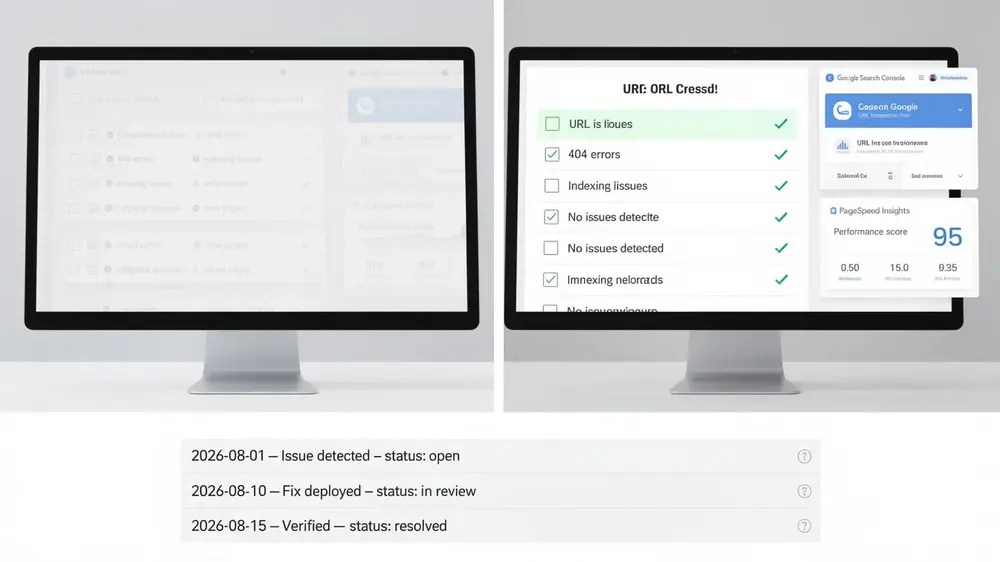
Verification confirms whether the intended condition changed after implementation. The correct check depends on the type of issue, and it is important to distinguish technical verification from later performance measurement.
For crawlable technical conditions, a fresh crawl or manual request can often confirm the implementation quickly. You can check whether an expected status code is returned, whether an internal link now reaches the intended destination, whether a noindex directive has been removed, or whether the canonical element in the page matches the agreed implementation.
Google’s processing can require a different check. For canonicalisation, the URL Inspection tool can show which URL Google considers canonical. This should not be described as Google “respecting a canonical directive” because canonical signals express a preference and Google may select a different canonical URL. A deployed canonical element can therefore pass an implementation check while Google’s selected canonical still differs.
Core Web Vitals also need careful timing. Google states that the Search Console Core Web Vitals report is based on real-world usage data. PageSpeed Insights combines Lighthouse lab diagnostics with CrUX field data, and its field data represents the previous 28-day collection period. This means a Lighthouse retest can provide immediate diagnostic evidence after a performance change, while real-user Core Web Vitals evidence may take time to reflect the new experience and may be unavailable for low-traffic URLs.
Record the verification date, method, and outcome as resolved, partially resolved, or not resolved. If the issue persists, reopen it, return it to the appropriate owner, and add the new evidence. If the implementation is correct but a search performance outcome has not yet changed, keep those two facts separate. A technical fix can be successfully implemented without guaranteeing a ranking, traffic, or conversion improvement.


