Google Search Console is a free tool that gives website owners direct access to how Google crawls, indexes, and ranks their pages, making it one of the most reliable sources of organic search data available. Unlike third-party platforms, it surfaces official alerts, coverage errors, and performance metrics that reflect Google’s actual view of a site.
- Domain property verification is the recommended setup method because it captures data across all subdomains and protocol variations in a single property.
- The Performance report identifies pages with low click-through rates, pointing directly to title tags and meta descriptions worth improving.
- Impressions and clicks are distinct metrics. Impressions confirm a page appeared in search results, while clicks represent actual visits to your site.
- The Experience tab consolidates Core Web Vitals, Mobile Usability, and HTTPS status into early warning signals for issues that affect Google’s ranking signals.
- Overusing the Request Indexing feature does not accelerate crawling. Sitemap submissions are the more efficient method for large-scale indexing needs.

What is Google Search Console and Why Every Website Owner Needs It
Google Search Console (GSC) is a free tool from Google that lets website owners monitor how their site performs in Google search results. It tracks crawling activity, indexing status, and search engagement metrics including clicks, impressions, click-through rate, and average position. Think of it as a direct window into how Google sees and interacts with your site.
The tool works by connecting your verified website to Google’s systems, pulling in crawl data, search performance statistics, and diagnostic information that would otherwise be completely invisible. Without it, there is no reliable way to know whether Google can access your pages, which search queries are driving traffic, or whether any critical technical problems exist on your site.
GSC is particularly valuable because it serves as the only official channel between site owners and Google’s search infrastructure. When Google detects issues such as crawl errors, manual actions, or security problems, GSC is where those alerts appear. No third-party tool can replicate that direct line of communication.
For anyone working on technical SEO fundamentals, GSC is the logical starting point. It surfaces the exact problems Google encounters when processing your site, giving you concrete data to act on rather than guesswork. Whether you manage a small blog or a large e-commerce platform, the diagnostic and monitoring capabilities GSC provides are foundational to maintaining and improving search visibility.
How Google Search Console Impacts Your Site’s Visibility and SEO Success
Google Search Console (GSC) is one of the most practical tools available for diagnosing and improving organic search performance. Rather than offering surface-level metrics, it surfaces the specific technical and content issues that hold pages back from ranking well.
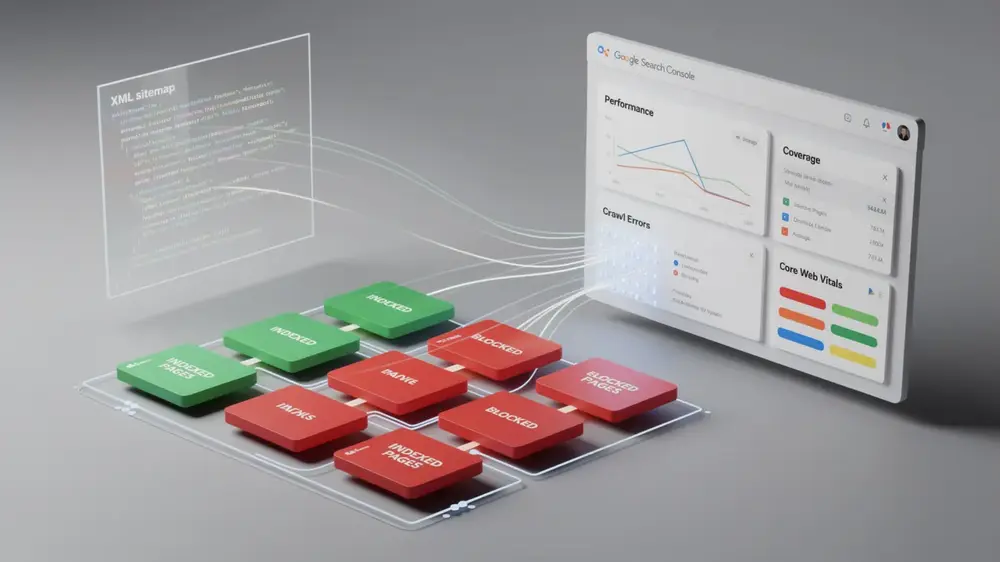
One of its most direct uses is indexing visibility. GSC shows exactly which pages Google has successfully indexed and which have been excluded, giving you a clear starting point for fixing coverage problems before they quietly drain organic traffic. Submitting a well-structured XML sitemap to Google works alongside this feature to help ensure your important pages are discovered and crawled efficiently.
On the technical side, GSC flags crawl errors and access barriers that stop Google from reading your content properly. Resolving these issues removes friction from the indexing process and often produces measurable ranking improvements.
The Performance report adds another layer of value. It identifies queries where your pages earn impressions but attract low click-through rates, pointing directly to titles and meta descriptions worth refining. It also highlights low-ranking queries where small content adjustments or keyword targeting changes could move pages into more competitive positions.
The Experience section rounds out the picture by reporting on Core Web Vitals, Mobile Usability, and HTTPS status. These signals reflect Google’s user experience standards and carry real weight as ranking factors, making them worth monitoring on a regular basis.

Complete Beginner’s Guide to Setting Up and Using Google Search Console
Getting meaningful data from Google Search Console depends heavily on how you set it up from the start. The Domain property verification method is the recommended approach for most site owners. By adding a DNS record through your domain registrar, you gain tracking coverage across all subdomains and protocol variations (HTTP, HTTPS, www, non-www) in a single property. URL Prefix verification only covers one specific version of your site, so Domain verification gives you a more complete picture.
Once verified, submit your XML sitemap through the Indexing > Sitemaps section. This helps Google discover all your important pages more efficiently rather than relying solely on crawl links.
Reading Performance Data and Inspecting URLs
The Performance report becomes most useful when you sort by impressions and filter for pages with low click-through rates. These are candidates where improving title tags or meta descriptions could lift traffic without needing to build new content. Tracking average position trends over time also reveals whether recent changes are helping or hurting visibility.
For new or updated pages, open the URL Inspection tool and run Test Live URL first to see how Google actually renders the page. Use Request Indexing sparingly afterward, reserving it for high-priority pages like fresh publishes or significant fixes, since the feature has quota limits.
Diagnosing and Fixing Indexing Errors
Check the Indexing > Pages report regularly to catch coverage errors such as excluded URLs. Common causes include accidental noindex tags or overly restrictive robots.txt configuration best practices. Fix the underlying issue first, then resubmit the affected pages for indexing.

Critical Google Search Console Mistakes to Avoid and How to Fix Them
Many GSC users unknowingly limit the value of the tool through a handful of recurring setup and interpretation errors. Catching these early saves significant time and prevents decisions built on incomplete data.
Setup and Verification Errors
One of the most common mistakes is choosing the URL Prefix property over the Domain property during verification. The URL Prefix option only tracks a specific protocol and subdomain combination, meaning data from subdomains or HTTP versus HTTPS variations gets fragmented across separate properties. The Domain property captures everything under your root domain in one place, giving you a complete picture of site performance.
Overusing the Request Indexing feature is another frequent misstep. Submitting repeated requests for the same URL does not speed up crawling because Google enforces quota limits on this feature. For bulk indexing needs, sitemap submissions are the appropriate method and far more efficient at scale.
Data Interpretation Mistakes
GSC metrics take days or even weeks to populate after initial setup. Making optimization decisions during this early window often leads to misguided changes based on incomplete signals. Patience here is genuinely practical, not just cautious advice.
When reviewing the Performance report, a low click-through rate does not automatically mean the content is poor. The more immediate question is whether your title tags and meta descriptions accurately represent the page and give searchers a reason to click. Similarly, structured data markup can influence how your result appears in search, which directly affects click behavior.
Finally, confusing impressions with actual traffic is a persistent issue. Impressions only confirm that your page appeared in search results. Clicks are what represent real visits, and treating the two as interchangeable distorts your understanding of how the site is actually performing.
From an editorial perspective, the most consequential GSC mistakes tend to be interpretive rather than technical. Treating impressions as a proxy for traffic, or acting on data before it has fully populated, can push site owners toward changes that solve the wrong problem entirely. Grounding decisions in complete, correctly understood data is what separates productive optimization from busy work. (Martha Vicher, mocobin.com)

Advanced Google Search Console Strategies and Its Evergreen Value for SEO
Google Search Console (GSC) holds a unique position in any SEO toolkit because it delivers the only official, Google-verified data about how your site performs in search. No third-party tool can replicate that. Advanced usage shifts the focus from basic monitoring toward strategic decisions about indexing, trend analysis, and integration with broader technical workflows.
Indexing and Performance Monitoring at Scale
For larger sites, sitemap-based indexing is the more practical approach. Sitemaps give Google systematic crawl guidance across your entire site, while the Request Indexing feature is better reserved for time-sensitive pages or critical fixes that genuinely need immediate attention. Using individual URL requests for routine updates creates unnecessary overhead.
In the Performance report, tracking average position trends over extended periods reveals gradual ranking shifts that short-term snapshots miss entirely. A steady decline in average position after a content update, for example, signals a problem that warrants investigation before it compounds.
Experience Tab and URL Inspection as Diagnostic Tools
The Experience tab consolidates Core Web Vitals, Mobile Usability, and HTTPS reports into early warning signals for user experience issues that Google increasingly factors into rankings. Treating these as reactive alerts rather than proactive checkpoints is a missed opportunity. Pairing this with the URL Inspection tool’s Test Live URL feature helps diagnose gaps between how Google should render a page and how it currently indexes it, surfacing rendering or technical problems that might otherwise go undetected.
These capabilities connect directly to on-page SEO fundamentals, where content quality and technical health work together. GSC remains indispensable precisely because it reflects Google’s actual view of your site, regardless of how algorithms or SEO trends evolve.