

CLS in SEO stands for Cumulative Layout Shift, a Core Web Vitals metric that measures how much visible page content moves unexpectedly while a page loads. It matters because unstable layouts can interrupt reading, make a page feel unreliable, and cause users to click or tap the wrong element.
Google recommends a CLS score of 0.1 or lower for a “Good” rating, measured at the 75th percentile of real user visits. CLS is part of Google’s page experience signals, but it should be understood alongside content quality, search intent, mobile usability, accessibility, and broader technical SEO health.
- CLS measures unexpected movement of visible page content, such as images, text, buttons, ads, embeds, or banners shifting after the page starts rendering.
- Google considers a CLS score of 0.1 or lower as good, with at least 75 percent of real page loads expected to meet that threshold.
- CLS matters for SEO because it contributes to page experience, although it does not replace the importance of helpful content, relevance, and authority.
- The most common causes of high CLS include images without reserved dimensions, ad slots without fixed space, late-loading embeds, font swaps, and dynamically injected content.
- The most reliable long-term approach is to reserve space for visual elements before they load, then validate improvements with real-user field data where possible.

What Does CLS Mean in SEO?
Cumulative Layout Shift, commonly called CLS, measures how visually stable a page is while it loads. In simple terms, it looks at whether visible elements stay where users expect them to stay, or whether they suddenly move as images, fonts, ads, scripts, or embeds finish loading.
This kind of movement is often described as page jankiness. A visitor may start reading a paragraph, then the text jumps down because an image appears above it. Someone may try to tap a button, only for an ad or banner to push the button into a different position. These moments may seem small from a technical point of view, but they can quickly reduce trust in the page.
CLS is part of Core Web Vitals metrics, which help Google and site owners assess key parts of user experience. Unlike a speed metric measured in seconds, CLS is a unitless score. It is based on how much of the viewport is affected and how far the affected elements move.
For most site owners, the practical goal is straightforward: important content, images, buttons, ads, videos, and embeds should not move unexpectedly after the page begins rendering. A technically impressive design still needs to feel steady and predictable when real users open it on different devices and connection speeds.
In practical SEO audits, I usually treat CLS as both a technical and editorial issue. It is not only about code. Layout stability is also affected by how templates are designed, where banners are placed, how images are uploaded, how ads are reserved, and whether content teams understand which above-the-fold elements need fixed space.

Why CLS Matters for SEO and User Experience
Cumulative Layout Shift sits at the intersection of technical SEO, design, and practical usability. As part of page experience signals in SEO, CLS can contribute to how search engines assess the quality of a user’s experience on a page. It should not be treated as a ranking shortcut, but it is still a meaningful signal for websites that want to provide stable, accessible, and trustworthy experiences.
Google sets the “Good” threshold at a CLS score of 0.1 or lower. Scores between 0.1 and 0.25 fall into the “Needs Improvement” range, while anything above 0.25 is considered poor. The threshold is measured at the 75th percentile of page loads, which means the experience needs to be stable for most real users, not only in the best test result.
The user impact is often more immediate than the SEO impact. When layouts shift unexpectedly, users can lose their place, click the wrong link, or feel that the page is poorly maintained. This is especially important for service pages, comparison guides, financial information, product pages, and editorial content where trust and clarity matter.
CLS problems can also vary across markets and devices. A page that feels stable on a fast desktop connection in Europe may behave differently on a lower-powered mobile device in another region. For international websites, this makes field data and template-level testing more useful than relying only on a single internal check.
From a brand communication perspective, layout stability supports credibility. A visually stable page helps users focus on the message, offer, article, or service information without unnecessary friction. It cannot compensate for weak content, but it helps good content feel easier to trust and use.
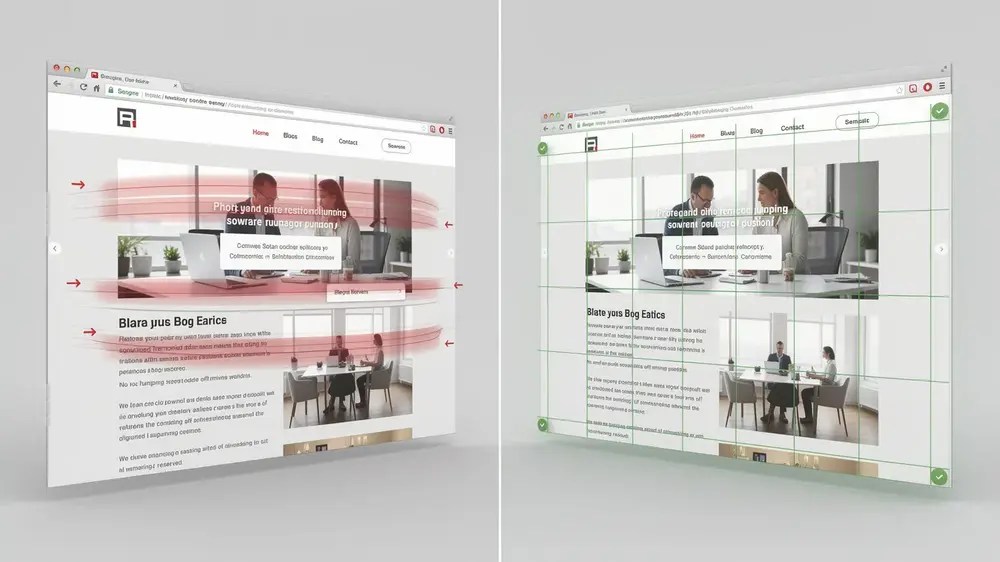
How to Fix CLS Issues on Your Website
Fixing CLS starts with finding what is actually moving. It is easy to assume that an image, plugin, or ad is responsible, but the source should be confirmed before changes are made. PageSpeed Insights, Chrome DevTools, and Google Search Console can help identify whether the issue appears in lab testing, field data, or both.
The most common cause of layout shift is media without reserved space. Images, videos, and iframes should include explicit width and height attributes, or use the CSS aspect-ratio property. This allows the browser to reserve the correct space before the asset finishes loading.
Ads, embeds, and third-party widgets need the same discipline. If an ad slot or embedded element loads late and no space has been reserved, it can push surrounding content down. Using a fixed-size container, min-height, or a defined aspect ratio helps keep the layout stable even when the final content loads after the initial render.
Font loading is another frequent source of CLS. If the fallback font and final web font have noticeably different dimensions, headings and paragraphs may shift when the intended font appears. Using sensible font-display settings, preloading critical fonts where appropriate, and choosing fallback fonts with similar proportions can reduce visible text movement.
Animations and injected content should also be reviewed. Avoid inserting new content above the current viewport unless the action is clearly triggered by the user. For visual effects, CSS transform and opacity are usually safer than properties that change layout dimensions or force recalculation.
For wider performance context, website speed optimization for SEO provides a useful framework for reviewing images, scripts, hosting, caching, and Core Web Vitals together rather than treating CLS as an isolated technical issue.
Quick CLS Audit Checklist
- Check PageSpeed Insights for layout shift diagnostics and affected elements.
- Use Chrome DevTools to observe which visible elements move during loading.
- Confirm that images, videos, iframes, and embeds have width, height, or aspect-ratio values.
- Reserve fixed or minimum space for ads, banners, third-party widgets, and dynamic content blocks.
- Review web font loading to see whether headings or paragraphs shift after the font appears.
- Test mobile and desktop templates separately, especially pages with page builders, ads, sliders, or sticky elements.
- Validate improvements with Google Search Console Core Web Vitals data where enough field data is available.

Common CLS Mistakes That Cause Layout Shifts
Many CLS fixes fail because the team corrects the symptom rather than the cause. A page may look stable after it has fully loaded, but the layout shift may have already happened during the first few seconds. This is why a quick visual check is not enough. The page needs to be observed while it is loading.
Common Technical Errors That Produce No Real Fix
A frequent misconception is that lazy loading images automatically fixes CLS. It does not. Lazy loading controls when an image is fetched, but the browser still needs dimensions to reserve space. Without width, height, or aspect-ratio values, the image can still push content around when it appears.
Lazy loading also needs careful handling above the fold. It may be helpful for images lower down the page, but it should not be used carelessly on important visible content. For a deeper explanation of how lazy loading interacts with performance, lazy loading and Core Web Vitals is a useful supporting topic.
Switching to system fonts does not always remove layout shift either. If the fallback font has different character widths, line height, or spacing from the intended font, a visible shift can still happen. The problem changes form rather than disappearing.
Fluid ad slots are another common source of high CLS. If no minimum height is reserved, the browser cannot hold the correct space until the ad server returns a size. The same issue can happen with cookie banners, newsletter boxes, social embeds, video players, and recommendation widgets that appear after the main content has started rendering.
WordPress-Specific Patterns Worth Checking
WordPress sites carry particular risk because content, design, and plugins often work independently. A theme may handle image dimensions correctly, while a page builder adds a hero section without stable spacing. A plugin may inject a banner above the fold. An ad script may load after the first visible content and push the layout down.
In real WordPress audits, I often see CLS problems on pages that look fine once fully loaded. The shift usually happens earlier, while the page is still assembling: a hero image loads without reserved dimensions, an ad container appears late, or a web font changes the height of a heading. This is why visual stability should be tested during loading, not only after the page is complete.
When plugin settings affect images, fonts, ads, or scripts, they should be reviewed with performance in mind. For WordPress teams, WordPress SEO plugins and performance can help place plugin decisions within a broader SEO and site quality workflow.
The most overlooked CLS issues are often the ones that appear fixed on the surface. A lazy-loaded image with no reserved dimensions, or a font swap that shifts a full heading, can pass a quick visual review and still appear in field data. For reliable decisions, visual checks should be supported by real user metrics where possible.
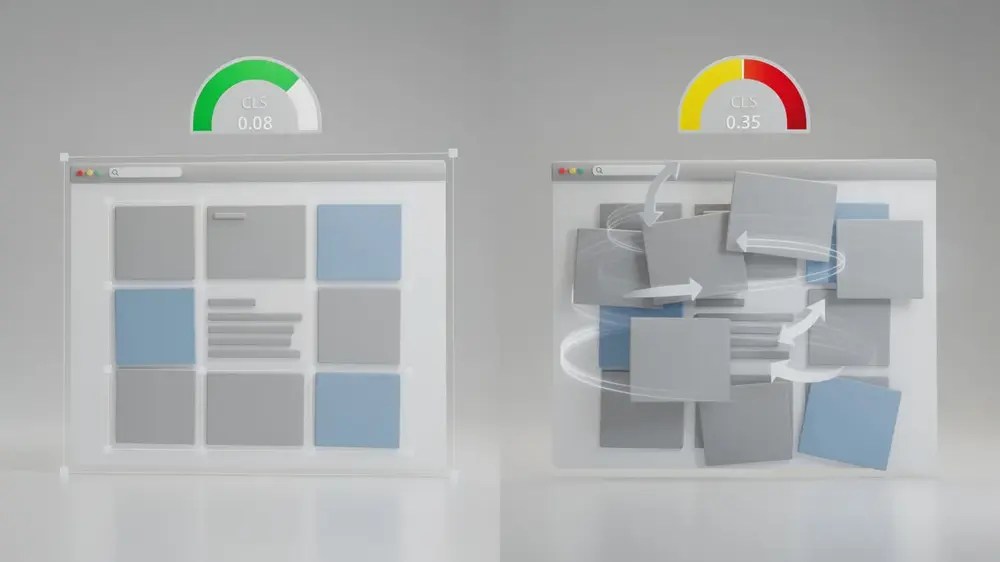
How to Keep CLS Low Over Time
The target for Cumulative Layout Shift is a score of 0.1 or lower, with at least 75 percent of page loads meeting that standard. Reaching this benchmark once is useful, but maintaining it requires an ongoing workflow. Websites change every time new images, ads, banners, plugins, templates, or embedded content are added.
One practical detail worth keeping in mind is that CLS only counts layout shifts that happen without recent user interaction. If a user clicks a button and an accordion opens, that expected movement does not normally count against the score. Optimisation work should therefore focus on automatic movement caused by loading behaviour, such as late images, fonts, ads, embeds, and JavaScript-injected elements.
CLS calculation is based on layout shift events grouped into session windows. In practical terms, the browser looks for the most disruptive burst of unexpected movement during the page experience. Site owners do not need to calculate this manually for everyday work, but understanding the principle helps explain why one late-loading element can still damage the score.
For growing websites, the broader principle is proactive space reservation. Every recurring template should define stable space for hero images, banners, ads, video embeds, comparison tables, related-post modules, and any JavaScript-loaded content. This is especially important during redesigns, where visual changes can accidentally introduce new Core Web Vitals problems. A website redesign SEO checklist can help teams protect layout stability while updating design and structure.
CLS should also be monitored alongside related performance metrics. For example, Largest Contentful Paint focuses on when the main visible content appears, while CLS focuses on whether visible content stays stable. A page can be fast but unstable, or stable but slow. Both issues affect how users experience the page.
For operational SEO teams, it is useful to combine lab diagnostics with field monitoring. PageSpeed Insights and Chrome DevTools help identify specific elements. Google Search Console helps show whether enough real users are experiencing good visual stability. Broader SEO tools for Core Web Vitals checks can support reporting, auditing, and ongoing quality control.
From a content operations perspective, CLS should become part of the publishing routine. Before a new template, advert placement, hero section, or embedded module goes live, the team should ask a simple question: has space been reserved before this element loads? That habit makes CLS optimisation sustainable rather than reactive.
Google continues to treat user experience as part of a wider search quality picture. For that reason, Core Web Vitals updates are worth following, but the practical focus should remain consistent: useful content, stable layouts, accessible design, and performance that works for real users across devices and markets.


