
LCP in SEO stands for Largest Contentful Paint, a Core Web Vitals metric that measures how quickly the main visible content of a page appears for users. In practical terms, it helps site owners understand whether visitors can see the most important part of a page without waiting too long.
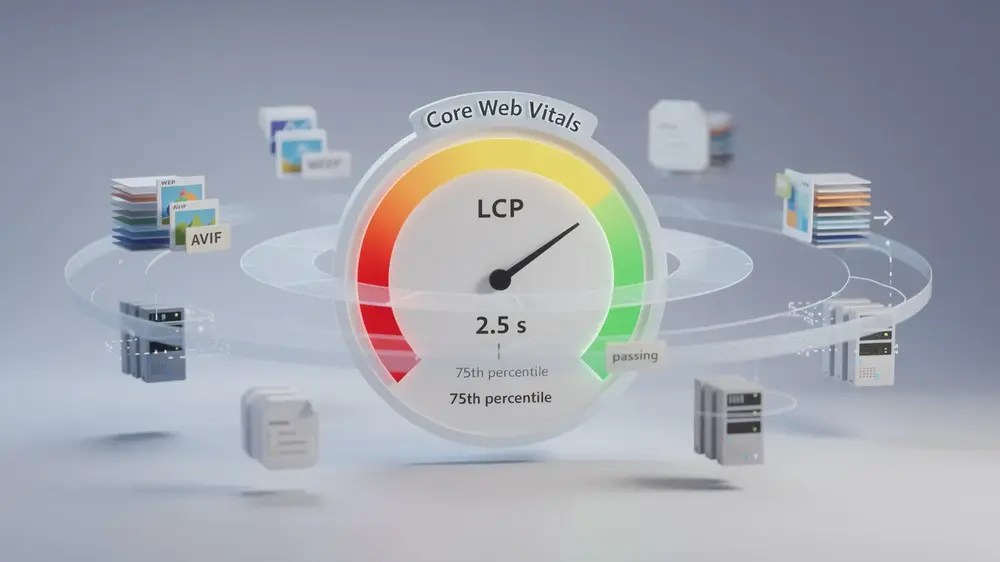
Google recommends an LCP of 2.5 seconds or less for a “Good” rating, measured at the 75th percentile of real user visits. This means performance should be strong for most users across real devices, browsers, network conditions, and locations, not only in a controlled Lighthouse test.
- LCP measures when the largest visible content element, such as a hero image, video poster, or large text block, finishes rendering in the user’s viewport.
- For a “Good” Core Web Vitals rating, Google recommends an LCP of 2.5 seconds or less at the 75th percentile of real user visits.
- LCP matters for SEO because it contributes to page experience, although it should be treated as one part of a broader technical SEO and content quality strategy.
- The most common LCP problems include oversized hero images, slow server response time, render-blocking CSS or JavaScript, delayed font loading, and lazy loading applied to above-the-fold content.
- Reliable LCP improvement should be checked with field data from real users, not only one-off lab tests.

What Does LCP Mean in SEO?
Largest Contentful Paint measures the time from the start of a page load to the moment the largest visible content element finishes rendering inside the user’s viewport. That element is often a hero image, a large banner, a video poster, or a prominent block of text near the top of the page.
In SEO work, LCP is useful because it connects technical performance with what users actually experience. A page may start loading quickly, but if the main image or primary content area appears late, the page can still feel slow and unfinished. This is why LCP is more meaningful than simply asking whether “something” appeared on screen.
One important detail is that the LCP element is not always fixed. As the browser continues reading the page, a larger element may appear and become the new LCP candidate. For example, a page might initially treat a heading as the LCP element, then later switch to a hero image once that image loads. This is why guessing the LCP element without checking the page can lead to wasted optimisation work.
LCP is different from First Contentful Paint (FCP). FCP records when the first visible element appears, even if it is only a small logo, icon, or line of text. LCP focuses on the largest meaningful element in the visible area, which makes it a stronger indicator of whether users can actually begin engaging with the page.
In practical SEO audits, I usually start by identifying the real LCP element in PageSpeed Insights or Chrome DevTools before making changes. On WordPress sites, for example, the issue is often not one single image format. It is more commonly a combination of oversized above-the-fold images, page builder scripts, delayed CSS, font loading, and hosting response time.
For marketers and site owners working through website speed optimization for SEO, LCP is one of the most actionable performance metrics because it points directly to the part of the page users are waiting to see.

Why LCP Matters for SEO and User Experience
Largest Contentful Paint is one of the Core Web Vitals metrics used by Google as part of its page experience signals. It should not be treated as a shortcut to rankings, because search visibility still depends heavily on relevance, content quality, authority, internal structure, and search intent. However, when two pages are otherwise similar in usefulness, a stronger page experience can support better organic performance.
Google’s benchmark is clear: an LCP of 2.5 seconds or less is considered “Good”. Scores between 2.5 and 4 seconds fall into the “Needs Improvement” range, while anything above 4 seconds is considered poor. This benchmark is measured at the 75th percentile, which means most real visits need to meet the target, not only the fastest test result.
From a user perspective, slow LCP is easy to feel. If a visitor opens a guide, service page, product page, or blog article and the main content area remains blank or incomplete, they may lose confidence before reading anything. This is especially important for international websites, where users may visit from different countries, devices, and network speeds.
The business impact depends on the page type. A slow LCP on a homepage may affect first impressions. A slow LCP on a landing page may reduce engagement. A slow LCP on a long-form guide may make the content feel less trustworthy, even if the information itself is useful. This does not mean every page needs to be visually minimal, but it does mean that important above-the-fold content should be planned carefully.
LCP sits within the broader discipline of technical SEO fundamentals. It works best when treated as part of a wider performance workflow that includes server response time, crawlability, page templates, image handling, CSS, JavaScript, and mobile usability.
How to Improve LCP for Better SEO Performance
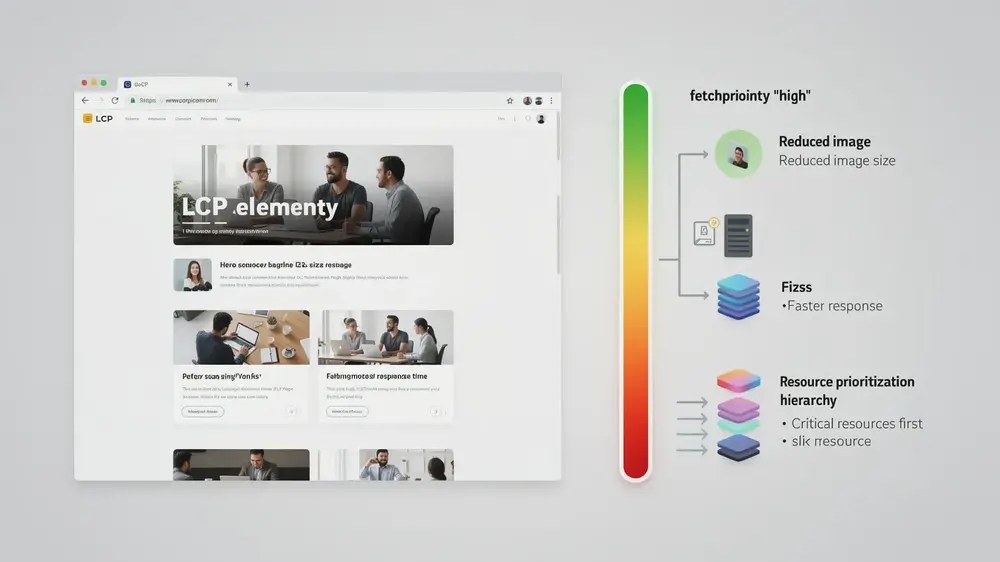
Improving LCP usually requires a structured approach rather than one quick fix. The goal is to help the browser load and render the main visible element as early as possible. Before changing plugins, themes, scripts, or images, it is worth confirming what the LCP element actually is on the page being tested.
Start with image optimisation. The LCP element is often a large image near the top of the page. Converting images to modern formats such as WebP or AVIF can reduce file size while keeping acceptable visual quality. However, format alone is not enough. The image also needs to be correctly sized, compressed, and delivered at dimensions that match the layout.
Server response time is another important factor. If the browser waits too long for the first byte of data, everything else starts late. Reducing Time to First Byte (TTFB) through better hosting, caching, server configuration, or a content delivery network can help the LCP element appear sooner.
Render-blocking resources can also delay LCP. CSS and JavaScript files that must load before the browser can paint the page may slow down the main content. In many practical audits, this is where page builders, sliders, tracking scripts, and theme assets need careful review. The aim is not to remove every script, but to decide which resources are truly needed above the fold.
Resource priority matters as well. If the LCP element is an image, the browser should not treat it as less important than below-the-fold assets. Using the fetchpriority=”high” attribute on the LCP image can help signal that this asset should load earlier. Preloading may also help in some cases, but it should be used carefully because overusing preload can create new performance issues.
For a broader view of how performance, usability, and search quality connect, the page experience signals guide explains where Core Web Vitals fit within user-centred SEO.
Quick LCP Audit Checklist
- Identify the actual LCP element in PageSpeed Insights or Chrome DevTools.
- Check whether the LCP element is an image, video poster, text block, or background image.
- Confirm whether the LCP element is being lazy-loaded by mistake.
- Review TTFB to see whether server response time is delaying the whole page.
- Check whether CSS, JavaScript, or fonts are blocking above-the-fold rendering.
- Validate changes with field data in Google Search Console where possible, not only with Lighthouse scores.

Common LCP Mistakes That Hurt SEO
Even well-intentioned performance work can fail when it targets the wrong problem. LCP is especially easy to misread because the largest visible element can change during loading, and different tools may show different results depending on device, connection speed, and test conditions. Before making technical changes, it is useful to review the wider Core Web Vitals metrics so LCP is understood alongside the other user experience signals.
One of the most common mistakes is applying lazy loading to above-the-fold images. Lazy loading is helpful for images lower down the page, but it can be harmful when applied to the main image users are supposed to see first. If the LCP element has loading=”lazy”, the browser may delay fetching it, which directly slows the LCP result.
Another mistake is optimising the wrong element. For example, a team may compress several body images while the actual LCP issue is a large hero background image, a video poster, or a text block delayed by font loading. This is why identifying the LCP candidate should come before implementation.
Relying only on lab data is also risky. Lighthouse is useful for diagnosis because it gives controlled, repeatable test results. Still, it cannot fully represent the range of real users visiting from different devices, regions, browsers, and network conditions. Field data, such as the Chrome User Experience Report and Google Search Console Core Web Vitals report, should be used to confirm whether improvements are working for actual visitors.
A few other mistakes deserve attention:
- Compressing images without checking whether the displayed dimensions are still too large for the layout.
- Using sliders or heavy animations above the fold when a simpler static hero area would serve the page better.
- Loading too many third-party scripts before the main content can render.
- Confusing FCP improvement with LCP improvement, even though they measure different stages of the loading experience.
- Neglecting font loading when a large heading or text block becomes the LCP element.
A practical way to avoid unnecessary work is to treat lab scores as a diagnostic starting point, not the final verdict. In real content and SEO operations, the stronger question is not “Did Lighthouse improve once?” but “Are most users consistently seeing the main content quickly enough?”
How to Monitor LCP Over Time
Reaching a good LCP score once does not guarantee long-term performance. Websites change constantly. New images are uploaded, plugins are added, page templates are redesigned, tracking scripts are installed, and content teams publish new layouts. Each change can affect how quickly the main content appears.
This is why LCP should be part of an ongoing performance routine. For a small website, this may mean checking important templates monthly or after major design changes. For a larger editorial or commercial website, it may require a more regular workflow across content, development, and SEO teams.
A useful monitoring process usually includes three layers. First, use lab tools to diagnose specific page-level issues. Second, use field data to confirm whether real users are experiencing better performance. Third, review templates and publishing habits so the same LCP problems do not return with every new article, landing page, or campaign page.
This is especially relevant for international websites. A page that performs well in one country may feel slower in another market because of hosting location, CDN coverage, image delivery, device mix, or network conditions. For multilingual or cross-market websites, performance should be checked with the main audience locations in mind, not only from the team’s office connection.
For operational SEO teams, LCP also connects to tooling. PageSpeed Insights, Chrome DevTools, Google Search Console, and crawl-based auditing tools can all support different stages of performance review. The SEO tools for performance checks guide can help teams decide which tools are useful for diagnosis, monitoring, and reporting.
From a brand communication perspective, LCP is not only a technical number. It affects how polished, accessible, and trustworthy a website feels when someone arrives for the first time. A fast-loading main content area cannot replace strong content, but it helps users reach that content with less friction.
Google continues to place user experience within the wider context of helpful, reliable content. For that reason, Core Web Vitals performance signals are best treated as a long-term quality standard rather than a one-time technical task.


