
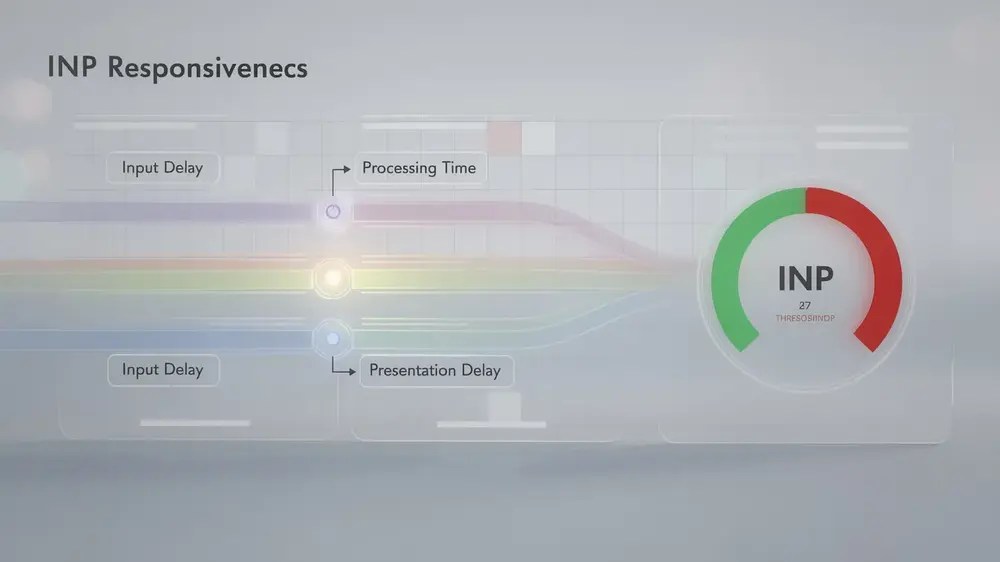
Interaction to Next Paint (INP) became an official Core Web Vitals metric in March 2024, replacing First Input Delay as a Google search ranking factor and expanding responsiveness measurement to cover all qualifying interactions across an entire user session. Unlike its predecessor, which captured only the first click after page load, INP tracks every tap, click, and key press throughout a visit, making it a more complete signal of how a page actually performs for real users.
- INP measures the delay between a user interaction and the browser’s next visual update, with a target score below 200 milliseconds for good responsiveness.
- The final INP score reflects the worst or near-worst interaction latency recorded during a session, so a single slow response late in a visit can lower the overall result.
- A poor INP score carries direct SEO consequences, as it is one of three Core Web Vitals metrics Google uses to assess page experience and influence search rankings.
- JavaScript optimization, including breaking up long tasks and using Web Workers, addresses the Input Delay and Processing Time components that most commonly drive poor scores.
- Real user monitoring data is necessary for accurate INP measurement, as lab testing tools cannot replicate the full range of devices, network conditions, and user behaviors seen in production.

Understanding Interaction to Next Paint (INP) as a Core Web Vital
INP is a Core Web Vitals metric that measures how responsive a website feels by tracking the delay between a user’s interaction and the moment the browser visually renders the next frame. In practical terms, it captures the gap between a click, tap, or key press and the on-screen response the user actually sees.
The metric became an official Core Web Vital in March 2024, replacing First Input Delay (FID) as a Google search ranking factor. FID had a significant limitation: it only measured the very first interaction on a page. INP addresses this by monitoring all qualifying interactions throughout the entire visit, giving a far more complete picture of real-world responsiveness.
One design choice worth understanding is what INP does and does not track. It focuses on discrete interactions such as clicks, taps, and key presses. Continuous gestures like scrolling and zooming are excluded from the measurement.
The final INP score is not calculated until the user leaves the page. At that point, the score reflects the worst or near-worst interaction latency recorded during the session. This means a single sluggish response late in a visit can still pull the overall score down, which is why consistent performance across the full page lifecycle matters rather than just fast initial load behavior.

Why INP Matters for SEO Performance and User Experience
Interaction to Next Paint (INP) is one of the three Core Web Vitals metrics that Google uses to evaluate page experience and factor into search rankings. Because it sits at the center of how Google measures responsiveness, a poor INP score carries real consequences for visibility in search results, not just for how a page feels to visitors.
One of the clearest practical effects of a slow INP is a higher bounce rate. When users click a button, open a menu, or submit a form and the page feels stuck, many simply leave. That behavior signals poor engagement to search engines and compounds the ranking penalty that already comes from failing Core Web Vitals thresholds.
INP also corrects a significant gap left by its predecessor, First Input Delay (FID). FID only captured the delay on the very first interaction after a page loaded. INP measures every qualifying interaction throughout the entire session, which means slow responses that occur mid-journey, such as filtering search results or expanding content sections, are now accounted for.
The result is a fuller picture of responsiveness across the user journey. Sites that optimize only for initial load speed but neglect interaction delays throughout the page risk scoring poorly on INP without realizing it. Treating INP as an afterthought means accepting lower rankings and handing a competitive advantage to sites that have addressed it properly.
How to Measure and Optimize INP for Better Performance
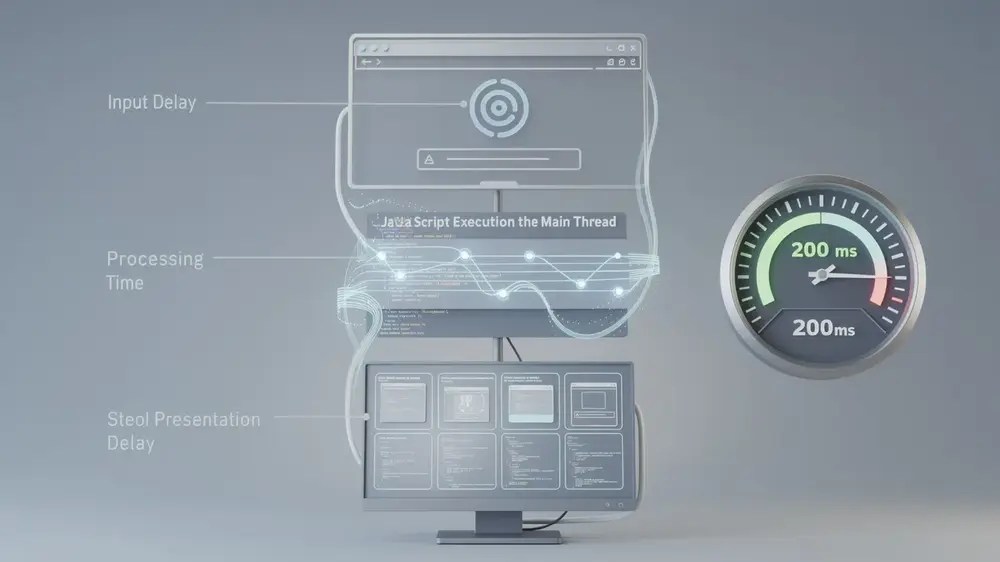
INP breaks down into three distinct components, and understanding each one is the starting point for meaningful optimization. Input Delay covers the time a browser spends waiting for background tasks to finish before it can respond to a user action. Processing Time is the duration spent executing JavaScript event handlers triggered by that interaction. Presentation Delay accounts for the time needed to recalculate layout and paint the updated frame on screen.
To measure INP accurately, use the Event Timing API, which captures how long individual user interactions take from start to rendered frame. Monitoring these timings in real user sessions helps surface the specific interactions causing slowdowns. The target threshold is an INP score below 200 milliseconds, which aligns with Core Web Vitals standards for good responsiveness. Just as Largest Contentful Paint measures loading speed, INP measures runtime interactivity, and both feed directly into how search engines assess page experience.
On the optimization side, the most impactful changes typically involve JavaScript. Breaking long tasks into smaller chunks prevents the main thread from blocking during user interactions. Beyond that, several techniques work well together:
- Use Web Workers to offload heavy processing away from the main thread
- Debounce input events to reduce how often handlers fire unnecessarily
- Lazy load non-essential assets to keep initial page weight low
These adjustments collectively reduce both Processing Time and Input Delay, which are often the largest contributors to a poor INP score.

How to Measure and Optimize INP for Better Performance
INP breaks down into three distinct components, and understanding each one is the starting point for meaningful optimization. Input Delay covers the time a browser spends waiting for background tasks to finish before it can respond to a user action. Processing Time is the duration spent executing JavaScript event handlers triggered by that interaction. Presentation Delay accounts for the time needed to recalculate layout and paint the updated frame on screen.
To measure INP accurately, use the Event Timing API, which captures how long individual user interactions take from start to rendered frame. Monitoring these timings in real user sessions helps surface the specific interactions causing slowdowns. The target threshold is an INP score below 200 milliseconds, which aligns with Core Web Vitals standards for good responsiveness. Just as Largest Contentful Paint measures loading speed, INP measures runtime interactivity, and both feed directly into how search engines assess page experience.
On the optimization side, the most impactful changes typically involve JavaScript. Breaking long tasks into smaller chunks prevents the main thread from blocking during user interactions. Beyond that, several techniques work well together:
- Use Web Workers to offload heavy processing away from the main thread
- Debounce input events to reduce how often handlers fire unnecessarily
- Lazy load non-essential assets to keep initial page weight low
These adjustments collectively reduce both Processing Time and Input Delay, which are often the largest contributors to a poor INP score.

Critical Mistakes to Avoid When Optimizing for INP
One of the most persistent misconceptions in INP optimization is the assumption that only the first interaction on a page matters. INP measures responsiveness across all interactions throughout an entire visit, so strategies focused purely on initial page load will leave significant responsiveness problems unaddressed. Every click, tap, and keyboard input counts toward the final score.
Blocking the main thread with third-party code is another critical error. Scripts from ad networks, analytics tools, or chat widgets can occupy the main thread long enough to delay input processing noticeably. Identifying which third-party resources are responsible and deferring or limiting their execution is often one of the highest-impact fixes available.
Relying exclusively on lab testing tools is a common but limiting approach. Synthetic tests run in controlled environments and cannot replicate the full range of devices, network conditions, and user behaviors seen in production. Real user monitoring data, such as data collected through the Chrome User Experience Report, gives a far more accurate picture of actual INP performance.
The Presentation Delay phase is frequently overlooked. Layout recalculations triggered after an interaction can extend the time before the browser commits a visual update to screen. Reducing unnecessary style and layout work during this phase can meaningfully improve scores. This connects to broader rendering concerns, including how layout shifts affect perceived stability, a topic covered in detail in the guide on Cumulative Layout Shift and its role in SEO.
Treating INP as a one-time fix rather than an ongoing measurement across the full session is ultimately what causes most optimization efforts to fall short.
From an editorial perspective, the gap between lab test results and real user monitoring data is where many INP optimization efforts quietly unravel. Synthetic tools are useful for catching obvious regressions, but they cannot surface the interaction patterns that only appear across a genuine range of devices and network conditions. Treating real user data as optional rather than essential is a risk teams tend to underestimate until rankings reflect it.

Advanced Strategies and the Lasting Importance of INP
INP represents a fundamental shift in how responsiveness is measured, moving beyond isolated moments to capture the full range of interactions across a user session. This matters because search ranking algorithms are increasingly tied to genuine user experience, and that connection is only likely to deepen over time.
The transition from FID to INP signals Google’s commitment to measuring complete interaction quality rather than a single first click. That precedent suggests future Core Web Vitals updates will follow a similar direction, rewarding teams that build measurement habits now rather than reacting after the fact.
Comprehensive interaction monitoring throughout the entire user session provides a real competitive advantage. Competitors who rely on lab testing alone will miss the performance patterns that only emerge across different devices, network conditions, and real user behaviors. Real user monitoring fills that gap by surfacing issues that synthetic tests simply cannot replicate.
JavaScript optimization sits at the center of most INP improvements. Understanding how script execution, long tasks, and rendering work together allows teams to make architectural decisions that improve current scores without creating technical debt. Good page speed optimization practices support both INP performance and long-term code maintainability.
Teams that invest in learning comprehensive interaction metrics and implement proper measurement frameworks are better positioned to adapt quickly when performance standards evolve. Building that foundation now reduces the risk of being caught off guard by the next round of algorithm changes.


